

How it works
The Marketer makes ads in your brand and runs them as campaigns. It watches who sees them and who clicks, and makes new ads based on what worked. You set the daily budget. While “Approve before it spends” is on, nothing new spends money until you say yes. You can change any of it from the “Ads” page, or just tell the CEO what you want.How do I get started?
Click “Ads” in the sidebar. The “Set up ads” card lists everything needed, in order. Ads only run once every step has a green tick.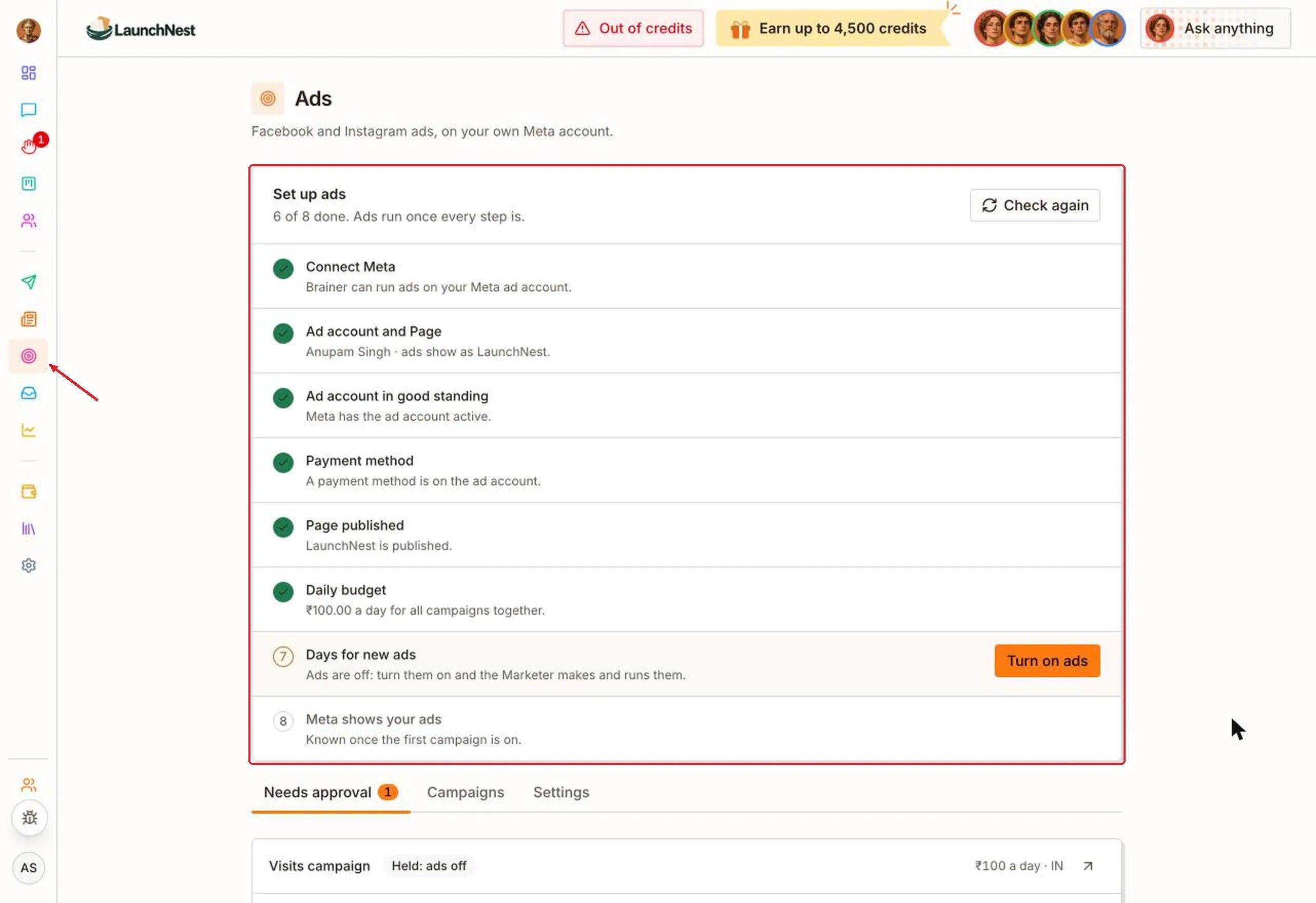
What does a campaign look like?
Campaigns waiting for you are on “Needs approval”. Each one shows its daily budget, the country it runs in, and how many people it has reached, how many clicked, and how much it has spent.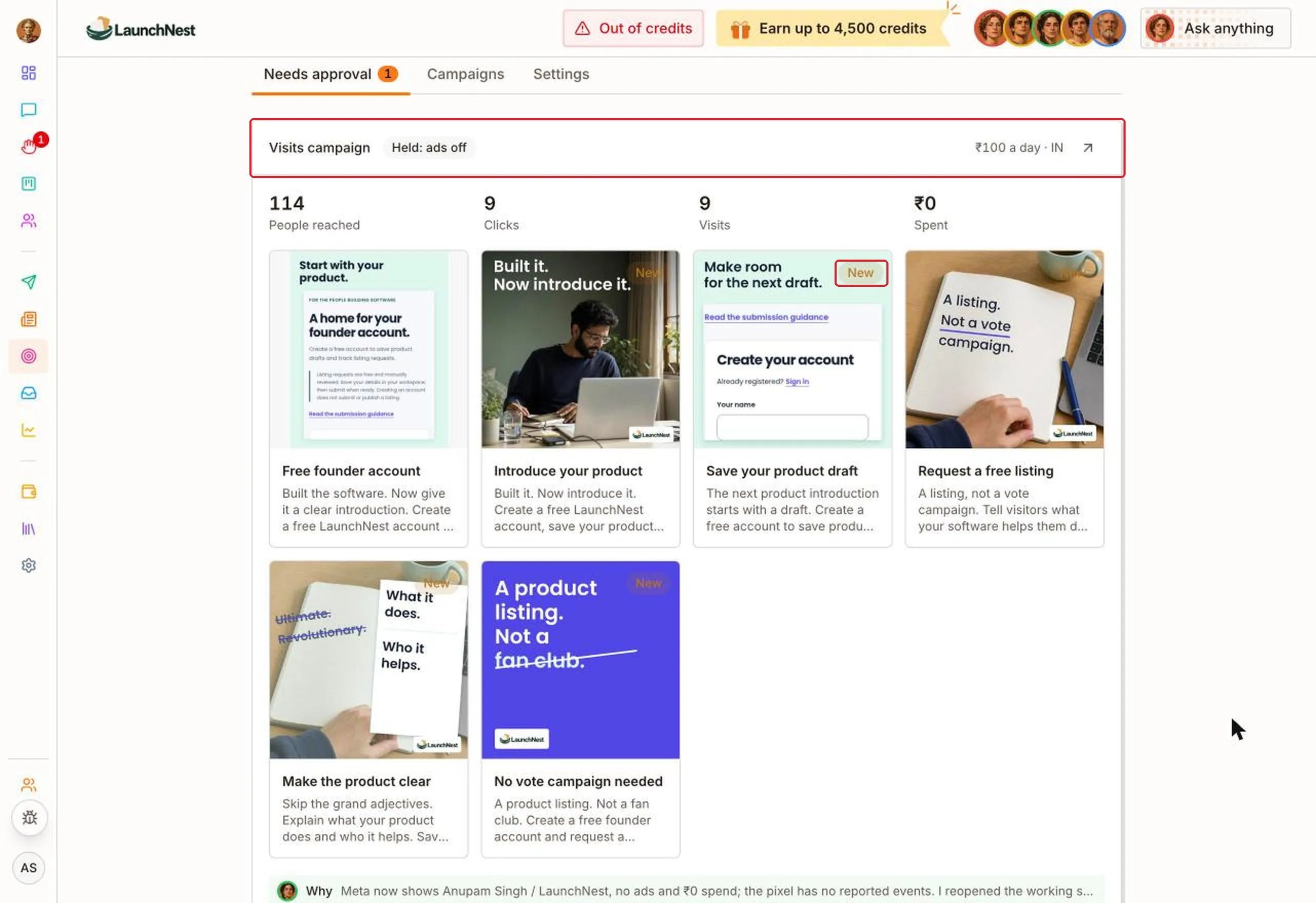
How do I approve new ads?
Scroll to the bottom of the campaign. Click “Why” to see why the Marketer made these ads. Then click “Add 5 new ads” (the number matches the ads waiting) or “Don’t add”.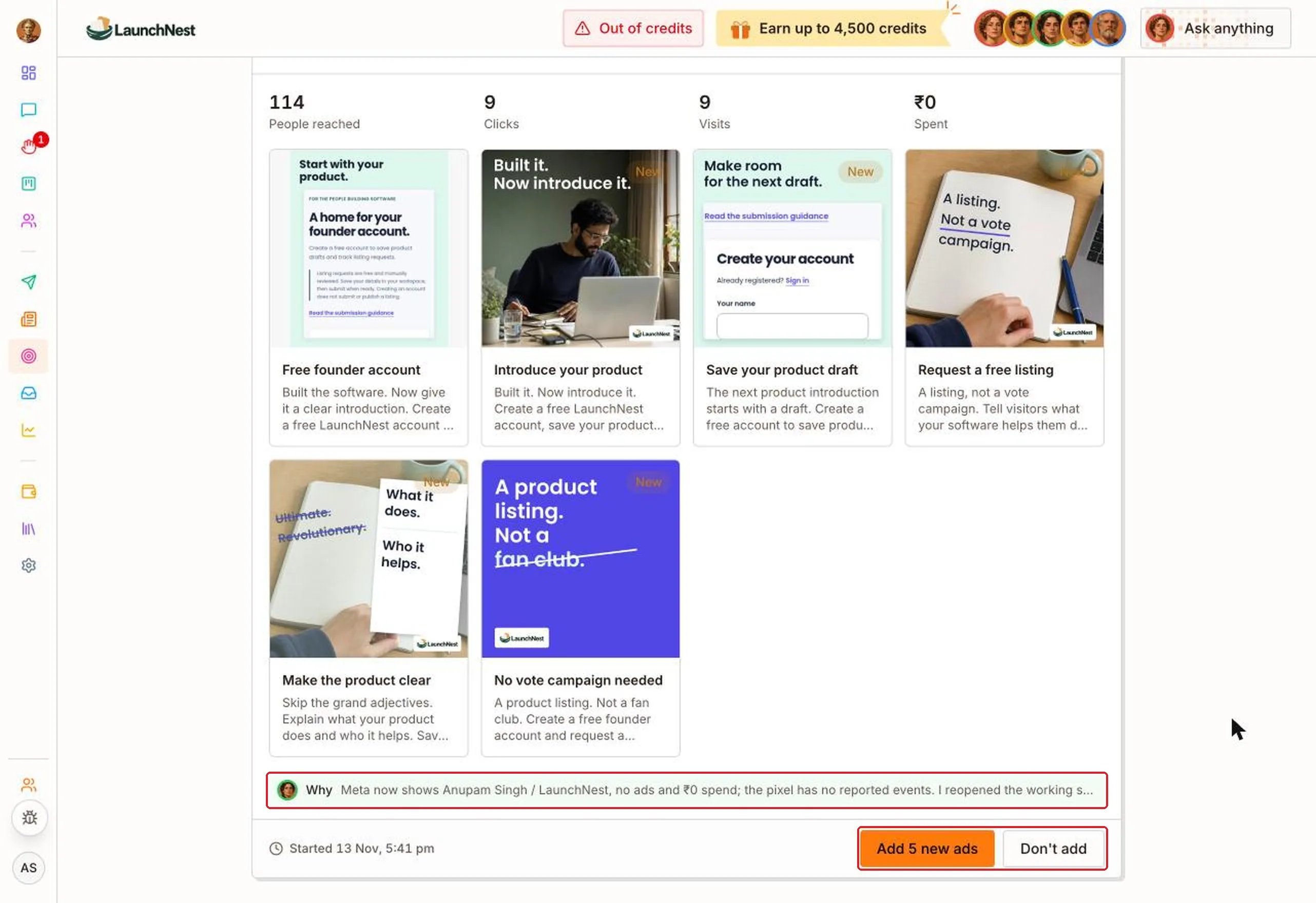
How are my ads doing?
Open “Campaigns”. Pick “Today”, “7 days”, “30 days” or “This month” to see how many times your ads were shown, how many people clicked, and what each click cost.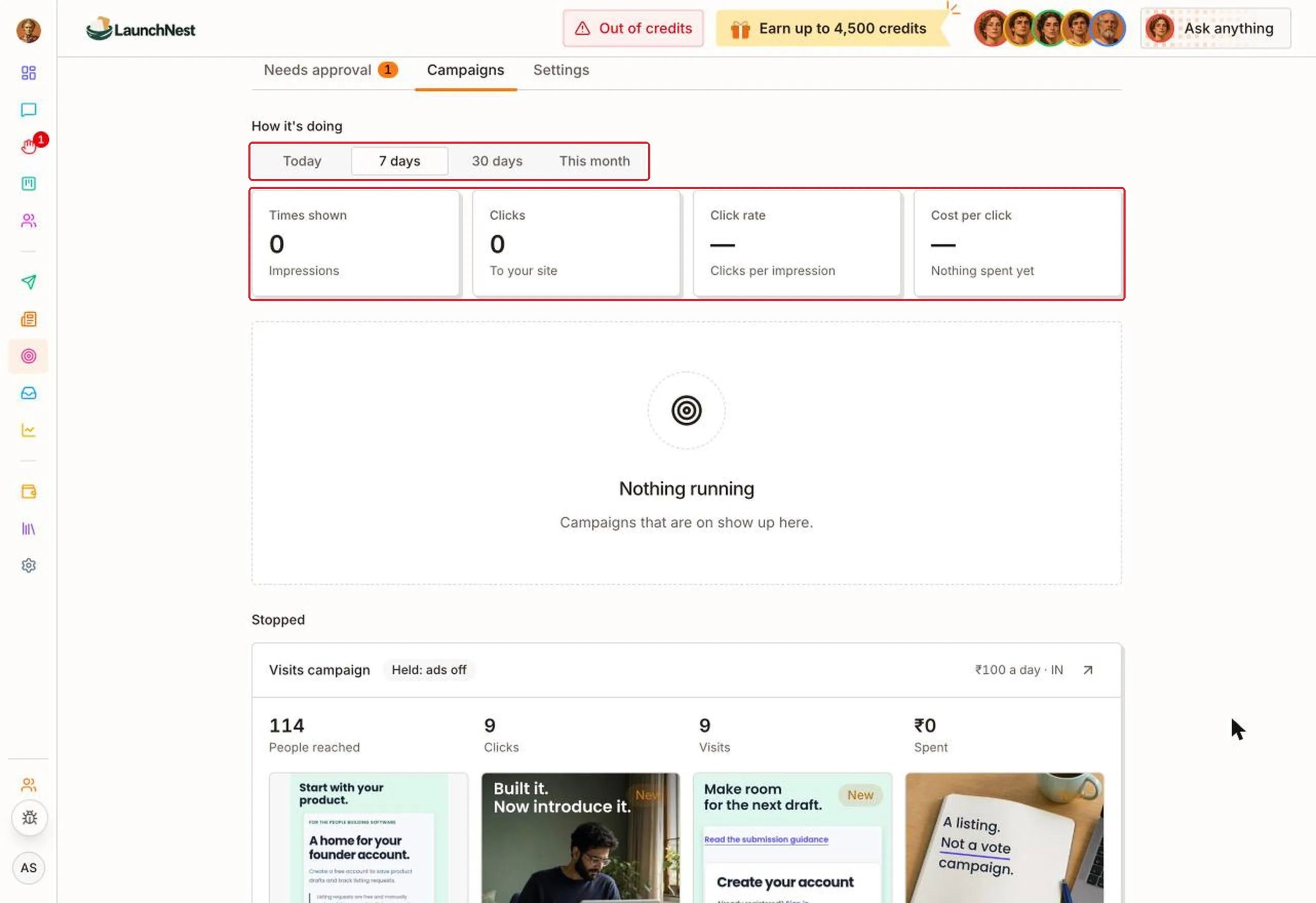
How do I control spending?
Open “Settings”. Under “Spending”:- “Ads on”: turn it off to pause every campaign at once. Nobody makes new ads while it’s off.
- “Daily budget”: the most all campaigns can spend in a day together. Type an amount or pick “Try it”, “Steady” or “Grow”.
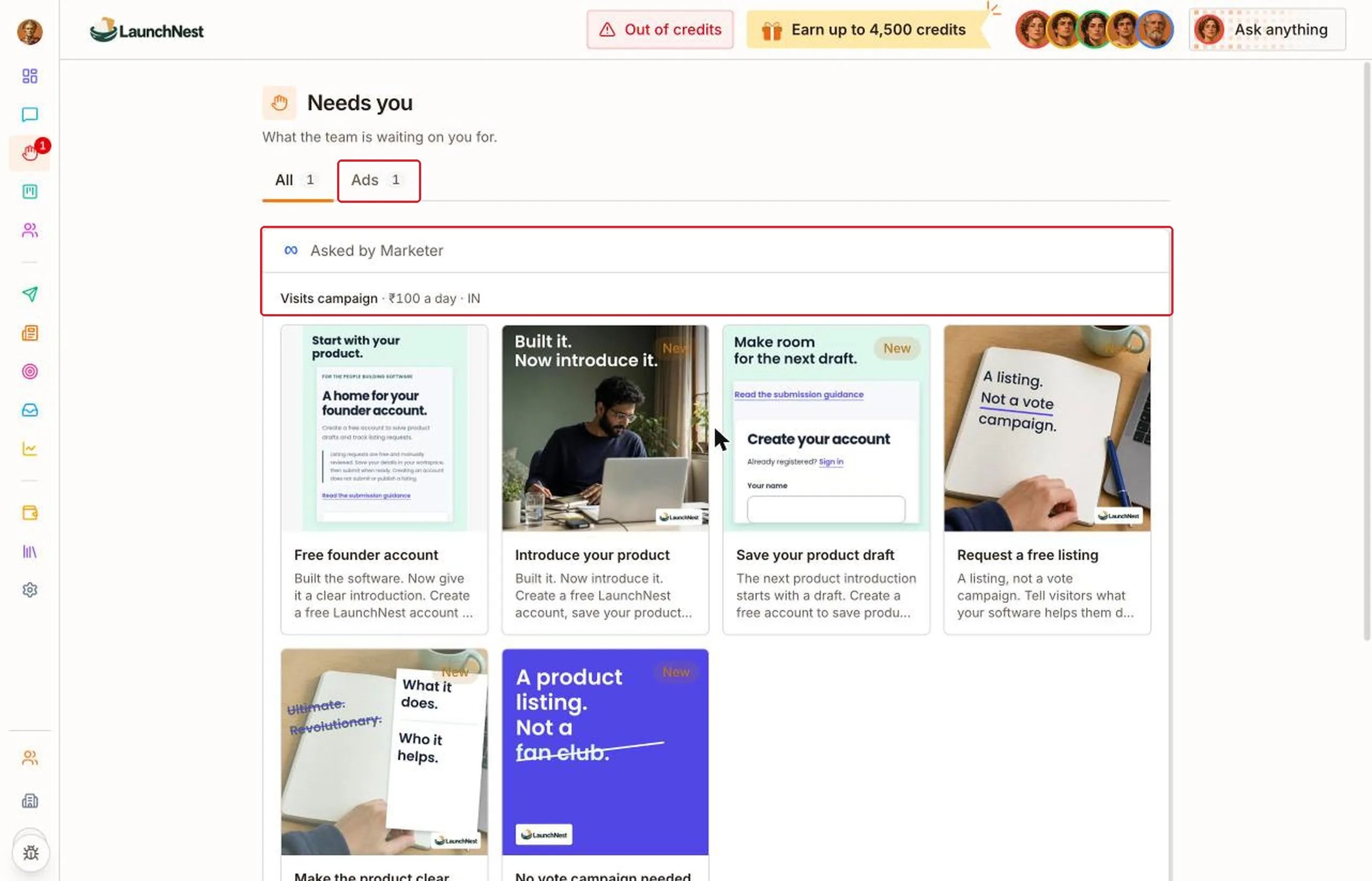
- “Approve before it spends”: new campaigns, new ads and budget raises wait for you on “Needs you”.
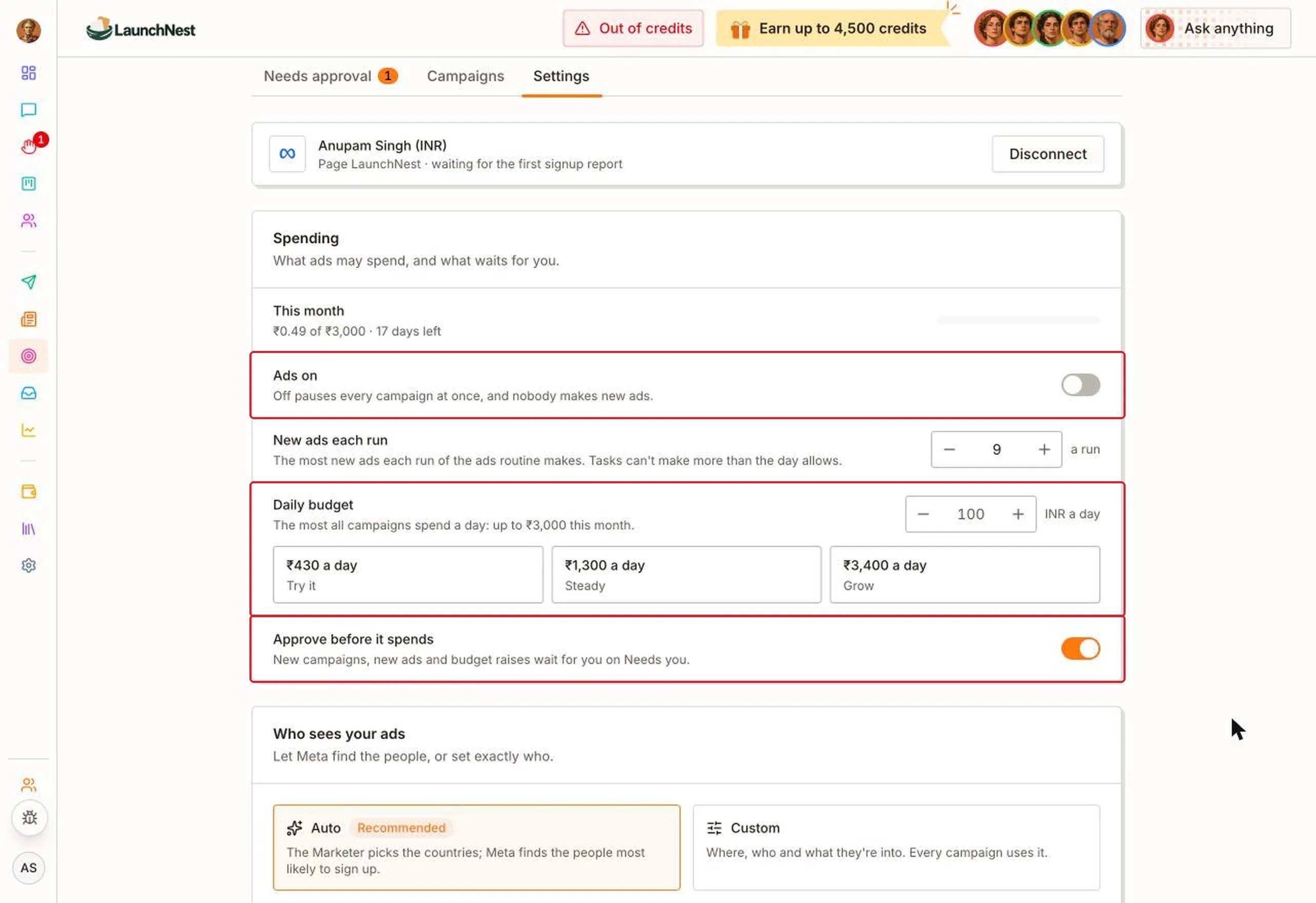
Tip: Keep “Approve before it spends” on for your first few weeks. Once you trust the ads the Marketer makes, you can turn it off.
Who sees my ads, and how do they look?
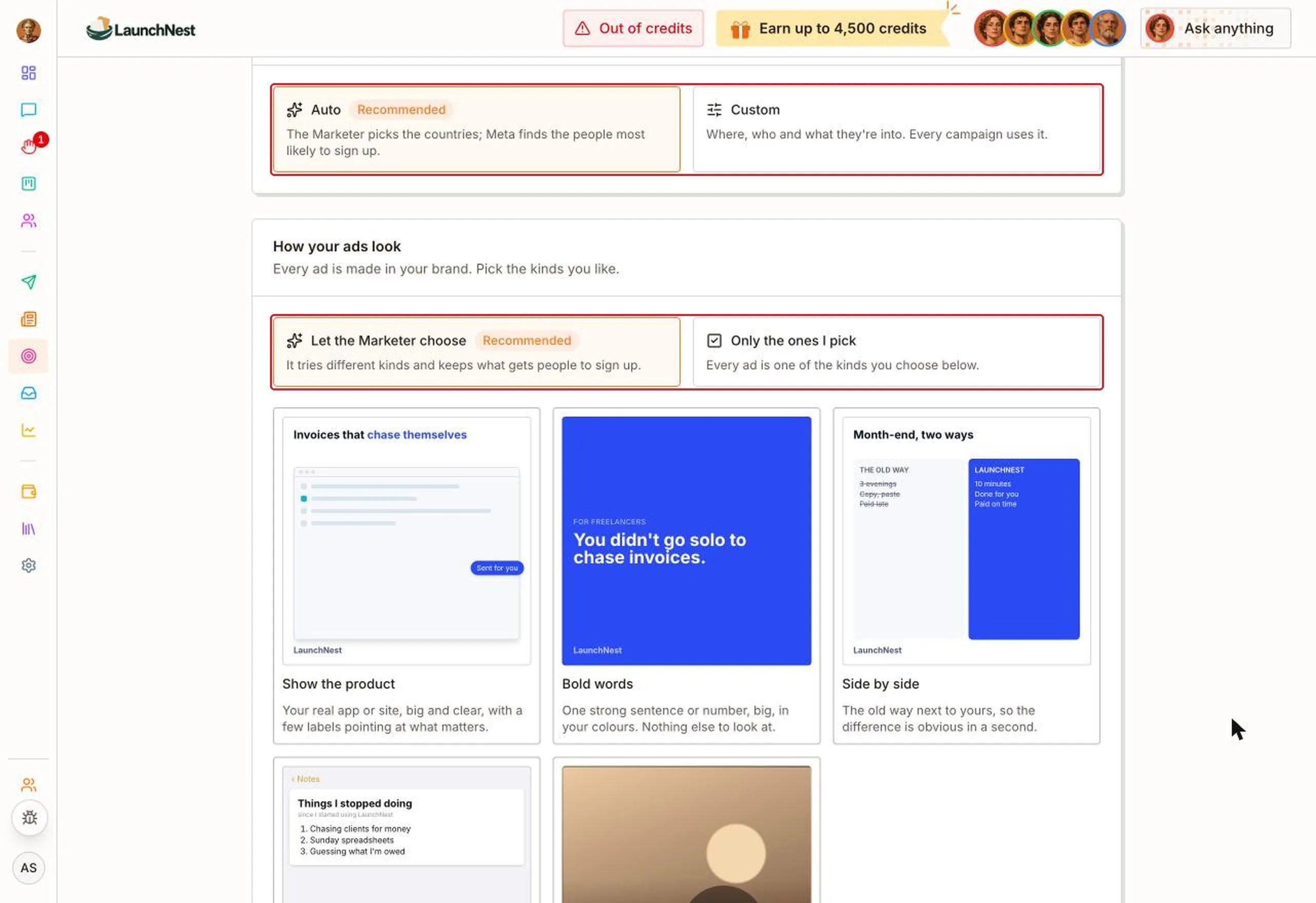
Further down “Settings”:- “Who sees your ads”: choose “Auto” to let the Marketer pick the countries and Meta find the people most likely to sign up, or “Custom” to choose yourself.
- “How your ads look”: choose “Let the Marketer choose” to have it try different styles and keep what works, or “Only the ones I pick” to choose the styles yourself.
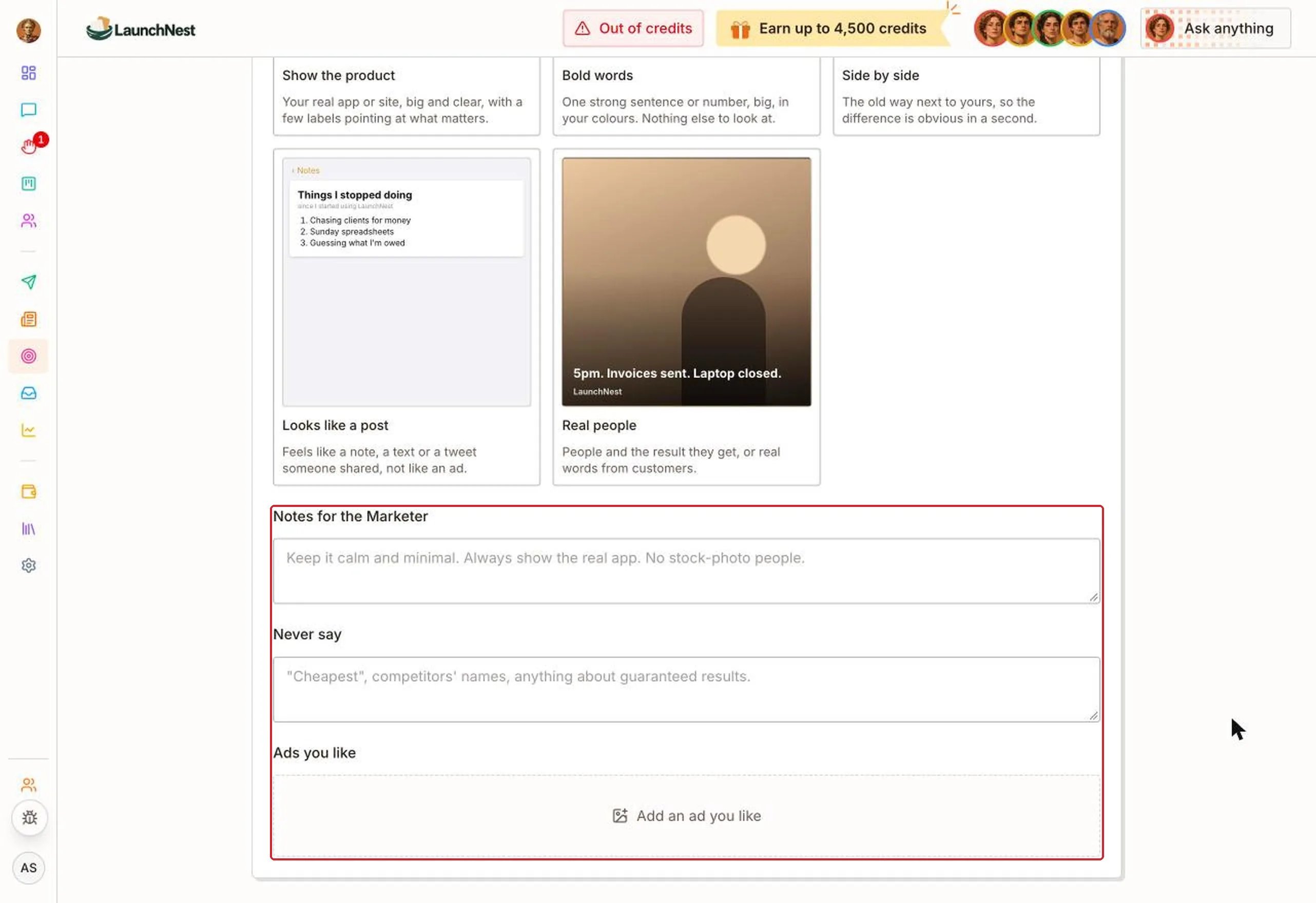
- “Notes for the Marketer”: how you want ads to feel, like “Always show the real app.”
- “Never say”: words or claims to avoid.
- “Ads you like”: add examples so the Marketer learns your taste.
Tip: Fill in “Never say” early. It’s the quickest way to keep ads from promising something you can’t deliver.
When does it make new ads?
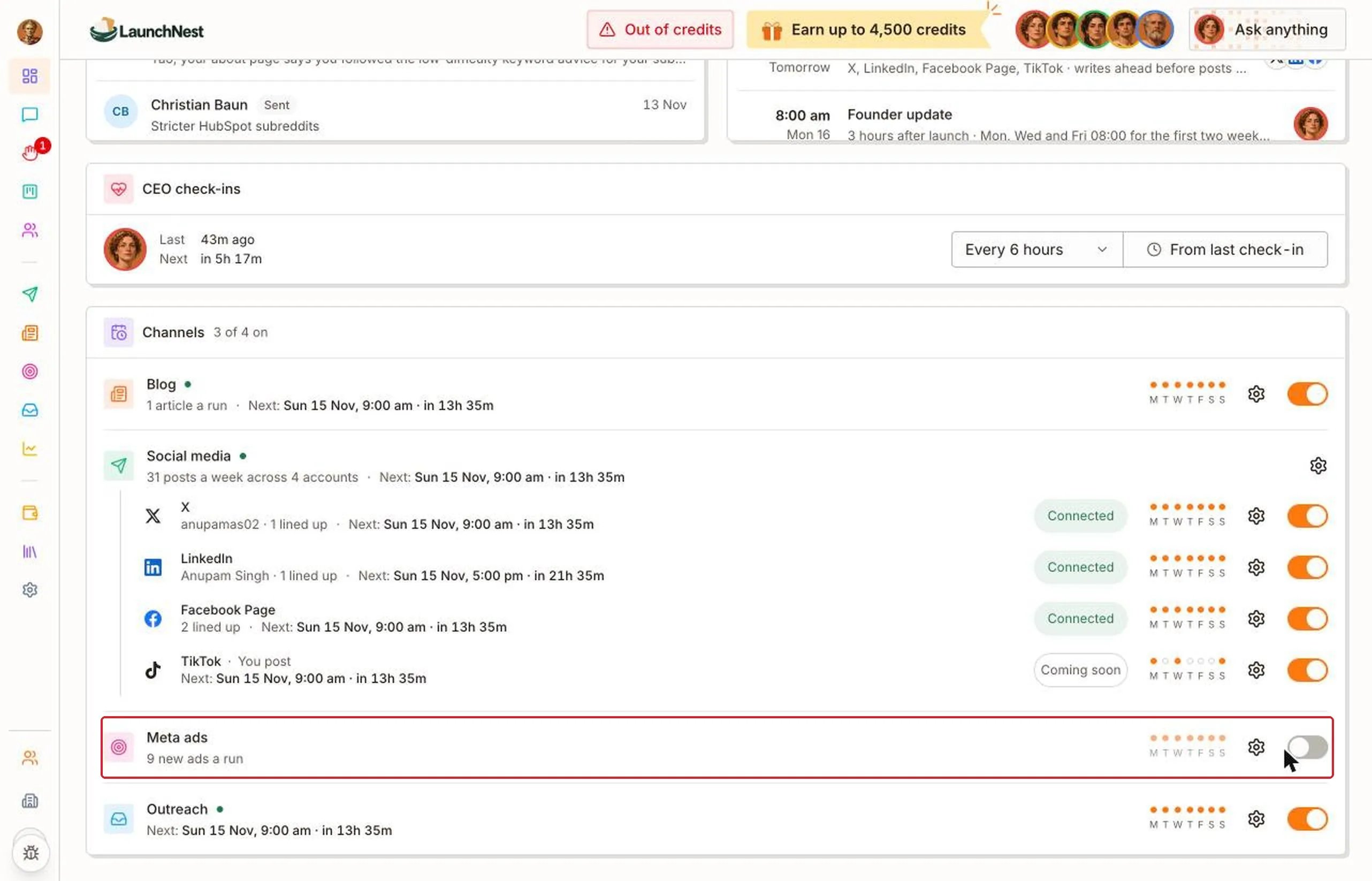
On your “Dashboard”, find “Meta ads” under “Channels” and click the gear. Turn on “Meta ads on”, pick “Weekly”, “2×/wk” or “Custom”, then click “Save”.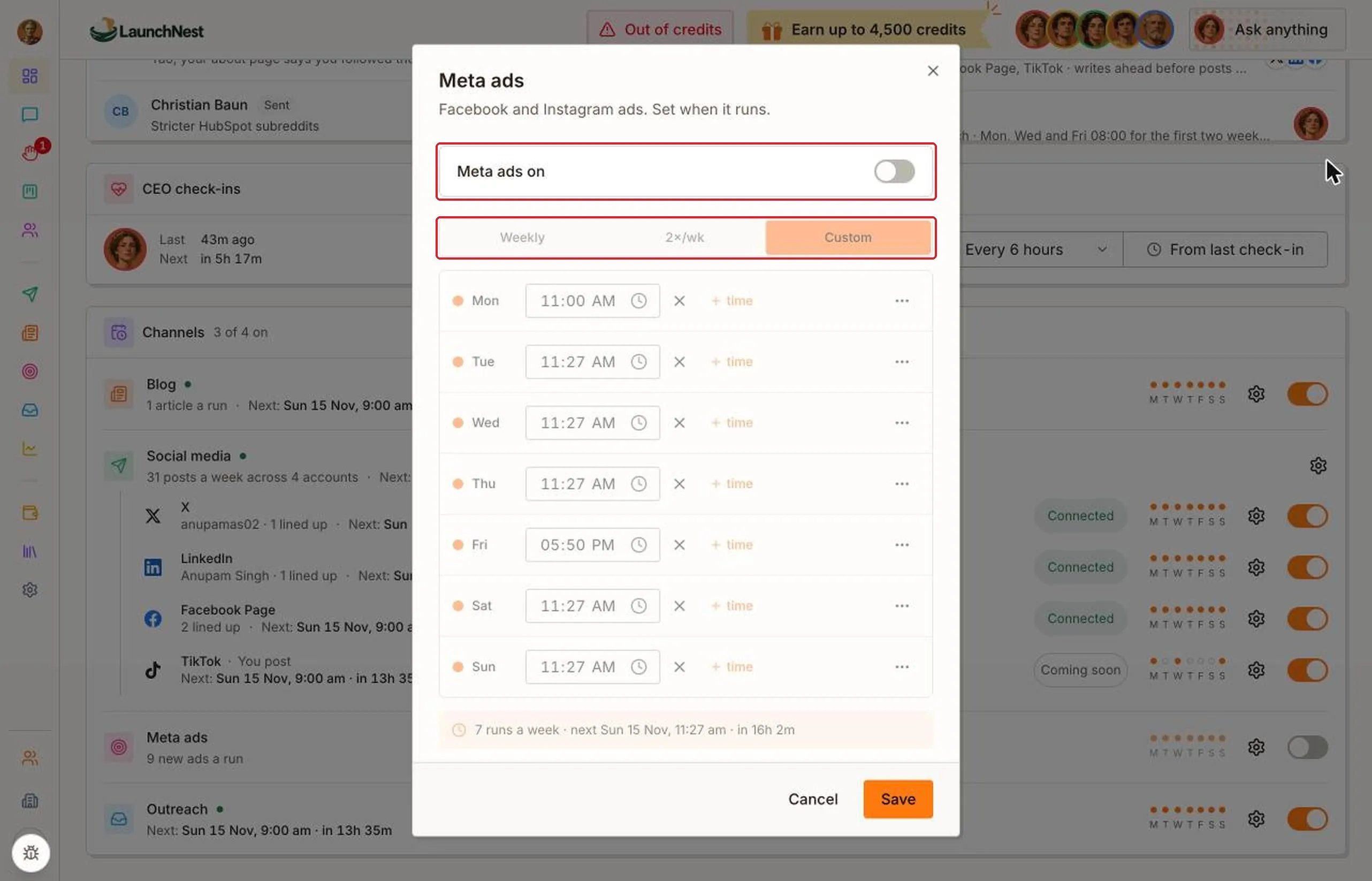
Can I just tell someone instead?
Yes. Open “Brainer CEO” in the sidebar, or click “Ask anything” at the top of any page. Say it plainly, like “Pause ads this week” or “Focus the next ads on our free plan.” See Brainer CEO.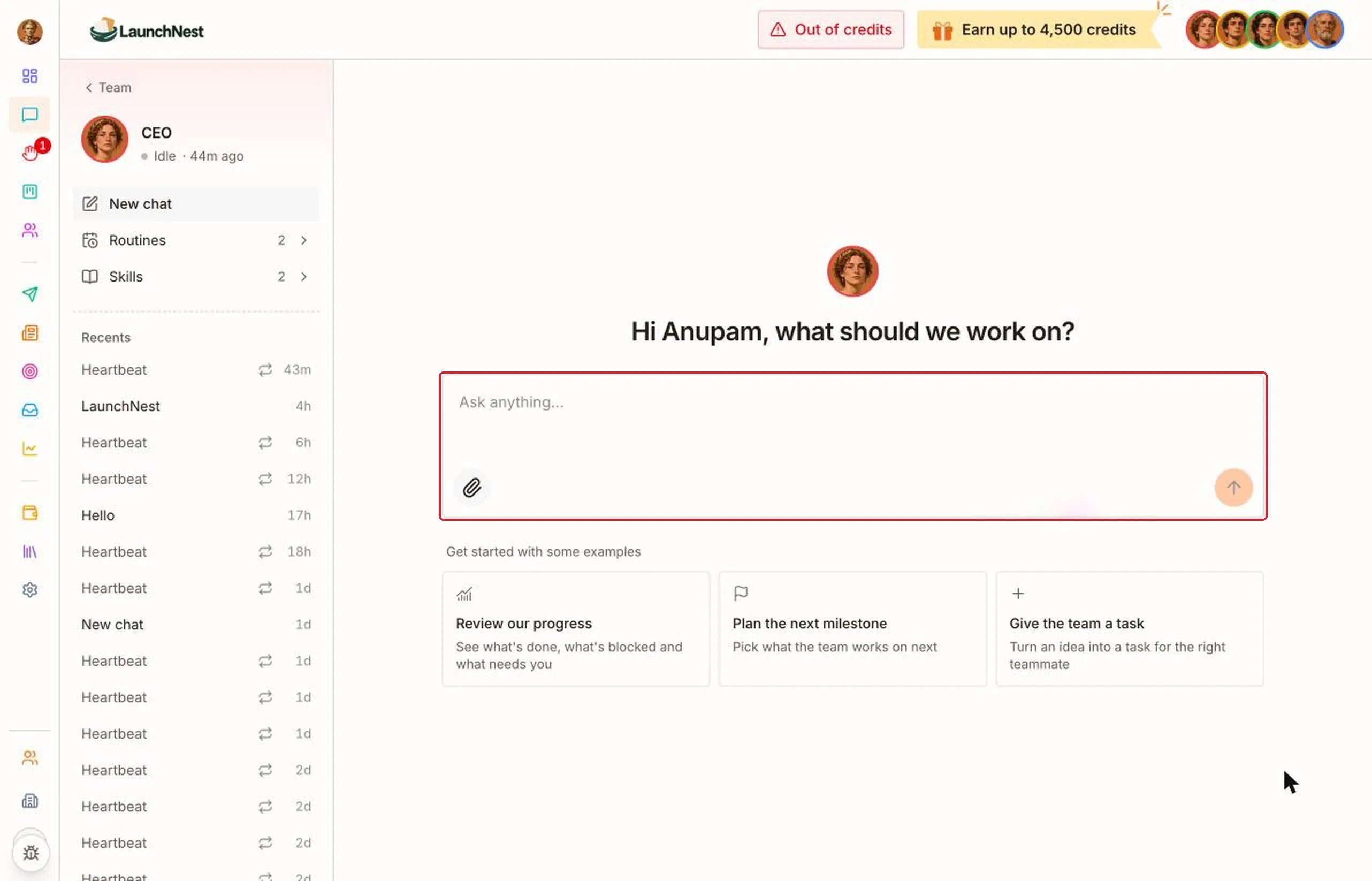
Quick answers
Who pays for the ads?
Who pays for the ads?
You do, through the payment method on your own Meta ad account.
What does “Held: ads off” mean?
What does “Held: ads off” mean?
Ads on is switched off in Settings, so the campaign is paused.
How do I stop everything at once?
How do I stop everything at once?
Turn off Ads on in Settings.
Can I see my ads in Meta?
Can I see my ads in Meta?
Yes. Click the arrow at the top right of a campaign to open it in Ads Manager.